
Joomla templates are responsible for much more than styling. In most cases, they also control the structure of your website's header and footer.
While many templates offer settings to customize colors, logos, typography, and layouts, completely replacing the header or footer is often a different story. Doing so usually requires editing template files, creating overrides, or switching to another template altogether.
This is an area where WordPress users have traditionally had more flexibility. Some page builders, such as Elementor, allow site owners to create and replace headers and footers without changing their active theme.
But what if you could do something similar in Joomla?
🚧 The Challenge
Today, creating beautiful website sections is easier than ever.
AI tools can generate modern navigation bars, responsive menus, professional footers, and complete website layouts in minutes. Whether you're using AI, SP Page Builder, YOOtheme, or your own HTML and CSS, creating the design is no longer the difficult part.
The real challenge is integrating that design into your Joomla website while keeping the template you already use and trust.
💡 The Solution: JO Header Footer Override
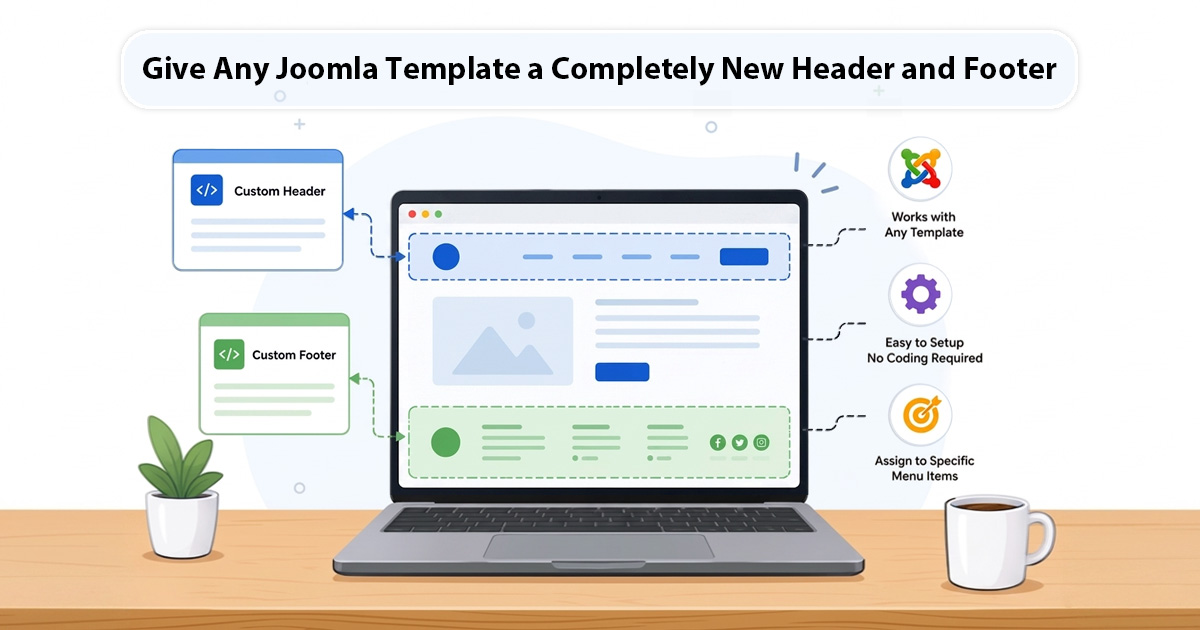
JO Header Footer Override allows you to replace your template's default header and footer with your own custom content—without changing templates.
Instead of being limited by the header and footer provided by your template, you can take full control of these important areas of your website.
❌ Remove the Existing Header and Footer
Using simple CSS selectors, the plugin can hide or remove the header and footer elements generated by your template.
This works with virtually any Joomla template, including:
- Cassiopeia
- Helix Ultimate
- Gantry-based templates
- Commercial templates
- Custom-built templates
➕ Add Your Own Header and Footer
The plugin provides dedicated module positions:
- custom-header
- custom-footer
Simply publish your content to these positions and your new header and footer will appear in place of the originals.
You can use:
- JO Custom HTML modules
- SP Page Builder content
- YOOtheme layouts
- Third-party extensions
- AI-generated code
- Your own custom designs
The plugin doesn't dictate how you build your header and footer. It simply gives you the freedom to use them.
❓ Why This Is Useful
🔢 Keep Your Existing Template
If your current template already provides the performance, features, and layout you need, there's no reason to replace it just because you want a different header or footer.
🔢 Use Modern AI-Generated Designs
AI can now generate impressive navigation bars and footer layouts in minutes. JO Header Footer Override makes it possible to implement those designs without touching template files.
🔢 Create Unique Landing Pages
Need a special header and footer for a marketing campaign, event page, or product launch?
The plugin can be assigned to specific menu items, allowing selected pages to have a completely different appearance from the rest of your website.
🔢 No Template Customization Required
Many header and footer modifications normally require editing template files. This plugin allows you to achieve the same result using standard Joomla modules and configuration.
🖥️ A Practical Example
Imagine you're using Helix Ultimate.
Your website is fully configured, optimized, and working perfectly. The only thing you want to change is the appearance of the header and footer.
You create a modern navigation bar and footer using AI or your preferred page builder.
Instead of modifying the template or migrating to another framework, simply:
- Remove the existing header and footer.
- Publish your custom content to the plugin's module positions.
- Keep everything else exactly as it is.
Within minutes, your website can have a completely new look while continuing to use the same template underneath.
🎯 Final Thoughts
Your template should provide the foundation of your website—not limit your creativity.
JO Header Footer Override gives Joomla users the flexibility to replace template headers and footers with their own designs while keeping the rest of the template intact.
Whether you're using AI-generated layouts, page builders, custom HTML, or handcrafted designs, you can now give any Joomla template a completely new header and footer without changing templates.