JO Ayat Gallery is a powerful yet lightweight image gallery plugin for Joomla that transforms any folder of images into a beautiful, responsive gallery with synchronized thumbnails.
Built with the industry-standard Swiper.js library, this gallery delivers smooth, touch-friendly navigation that works flawlessly on desktops, tablets, and smartphones.
Key Features:
Gallery Display
- ★ Responsive main image slider with synchronized thumbnails
- ★ 4 transition effects: Slide, Fade, Cube, Flip
- ★ Touch and swipe support on mobile devices
- ★ Lazy loading for optimal performance
Thumbnail Options
- ★ Automatic thumbnail generation
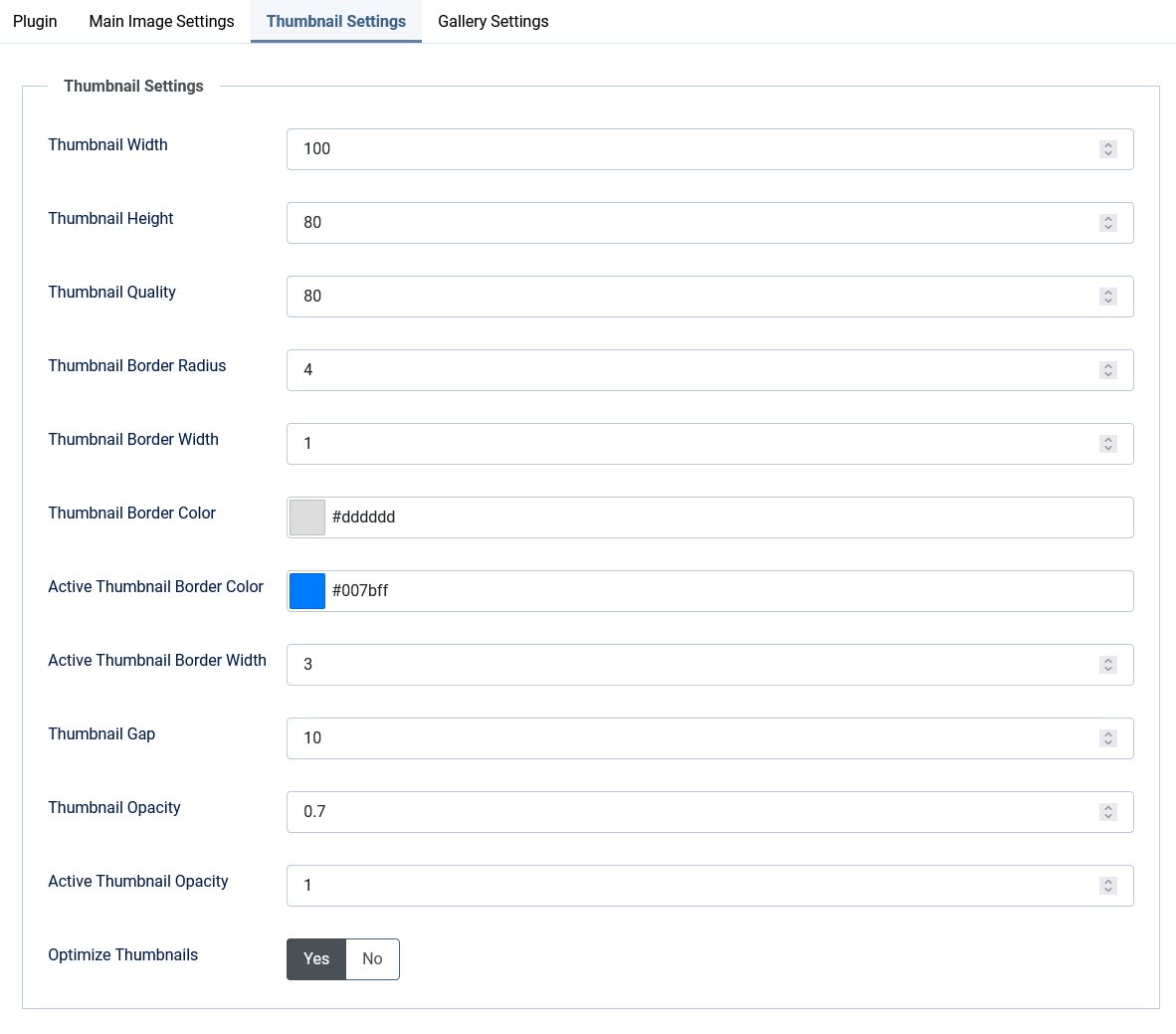
- ★ Customizable thumbnail dimensions
- ★ Adjustable thumbnail quality
- ★ Configurable gap between thumbnails
- ★ Active thumbnail highlighting with custom border color and width
- ★ Opacity control for active and inactive thumbnails
Navigation
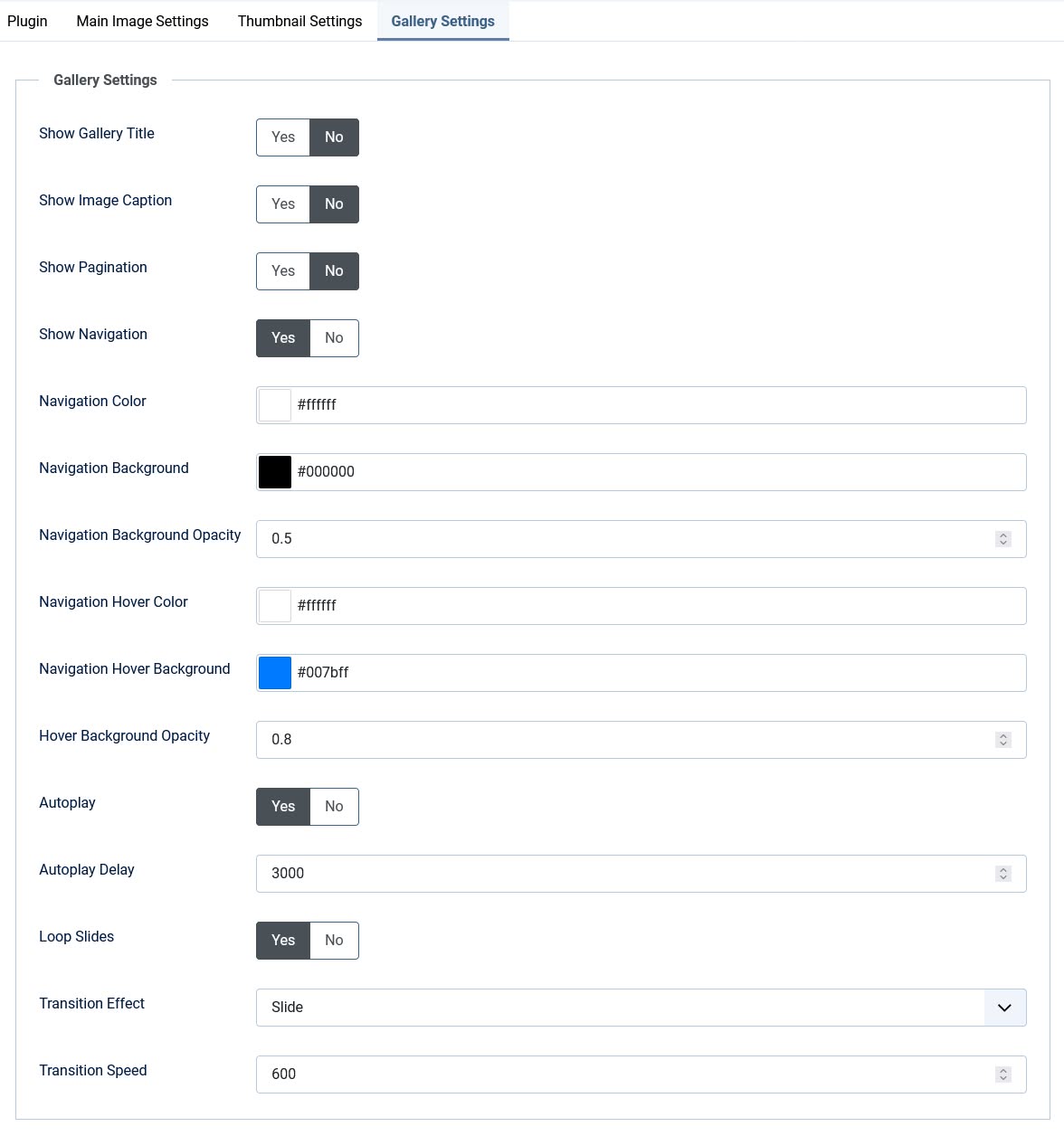
- ★ Previous/next navigation arrows
- ★ Customizable arrow colors and background
- ★ Adjustable background opacity for arrows
- ★ Hover color customization
- ★ Optional pagination dots
Image Settings
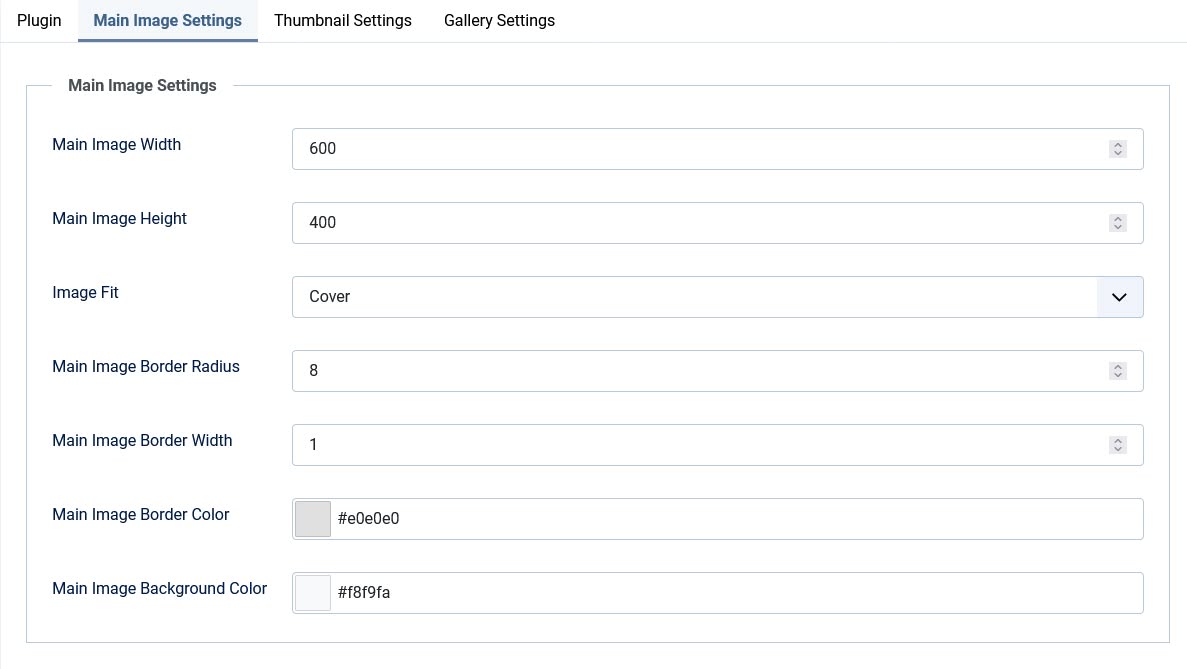
- ★ Customizable main image dimensions
- ★ Image fit: Cover or Contain
- ★ Border radius, width, and color control
- ★ Background color for image container
Gallery Controls
- ★ Autoplay with customizable delay
- ★ Loop mode for continuous slideshow
- ★ Optional gallery title display
- ★ Optional image captions (auto-generated from filenames)
- ★ Optional pagination counter
Shortcode System
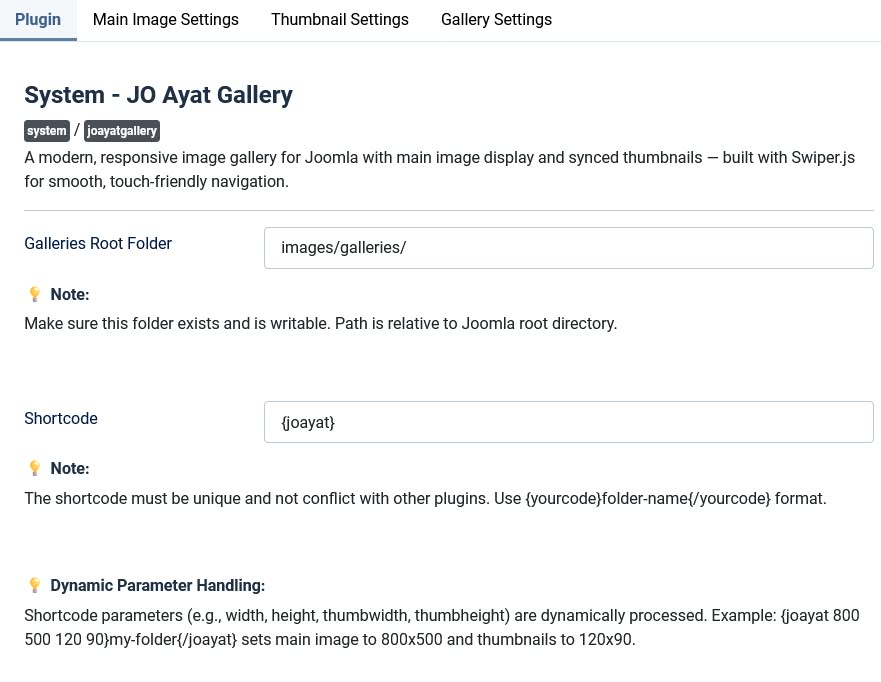
- ★ Simple
{joayat}folder{/joayat}syntax - ★ Dynamic parameter overrides:
{joayat width height thumbwidth thumbheight}folder{/joayat} - ★ Customizable shortcode tag in plugin settings
Security & Performance
- ★ Path traversal protection
- ★ MIME type validation (JPEG, PNG, GIF, WebP)
- ★ HTML escaping for all output
- ★ Thumbnail caching for repeat visits
- ★ Lightweight - no database tables required
How It Works
Simply create a folder with your images, place the shortcode {joayat}your-folder-name{/joayat} anywhere in your content, and the gallery automatically appears. No complex setup, no database tables, no hassle.
Frontend Demo:












Backend Screenshot: