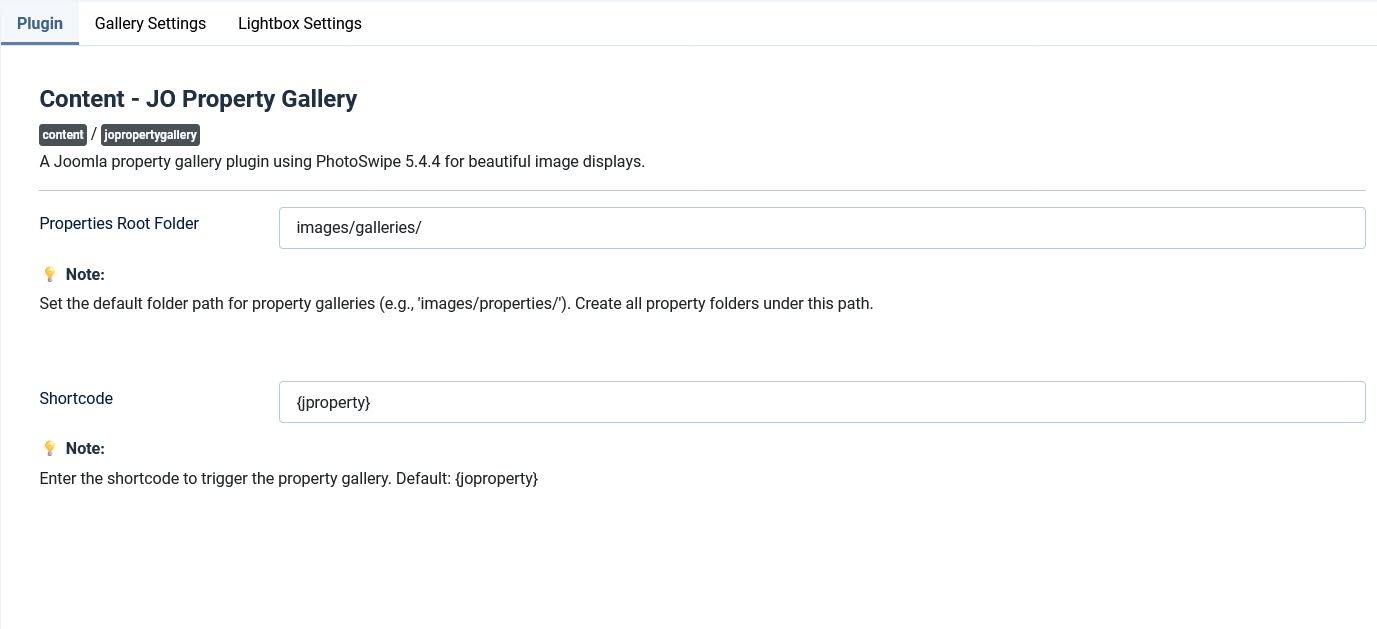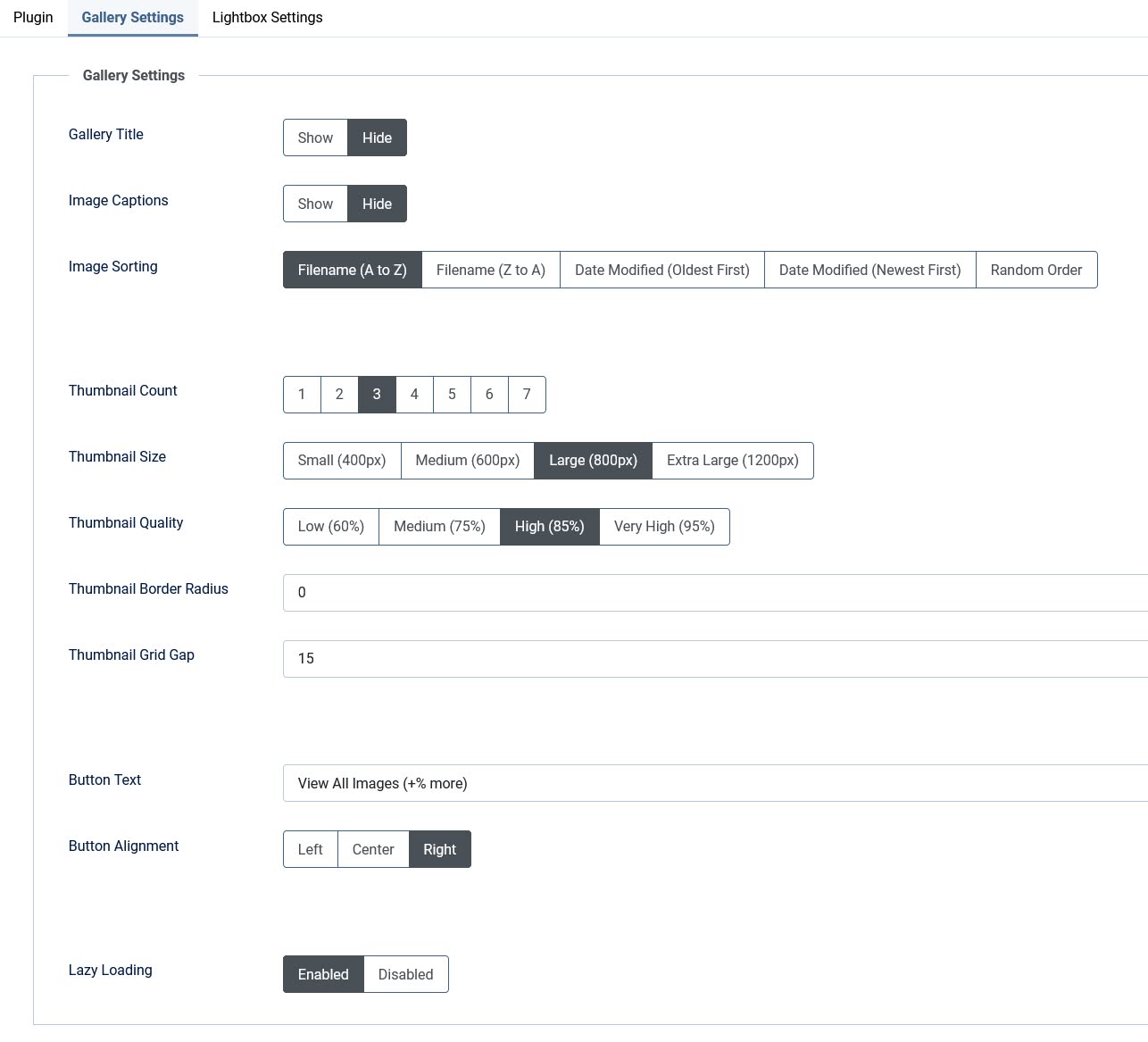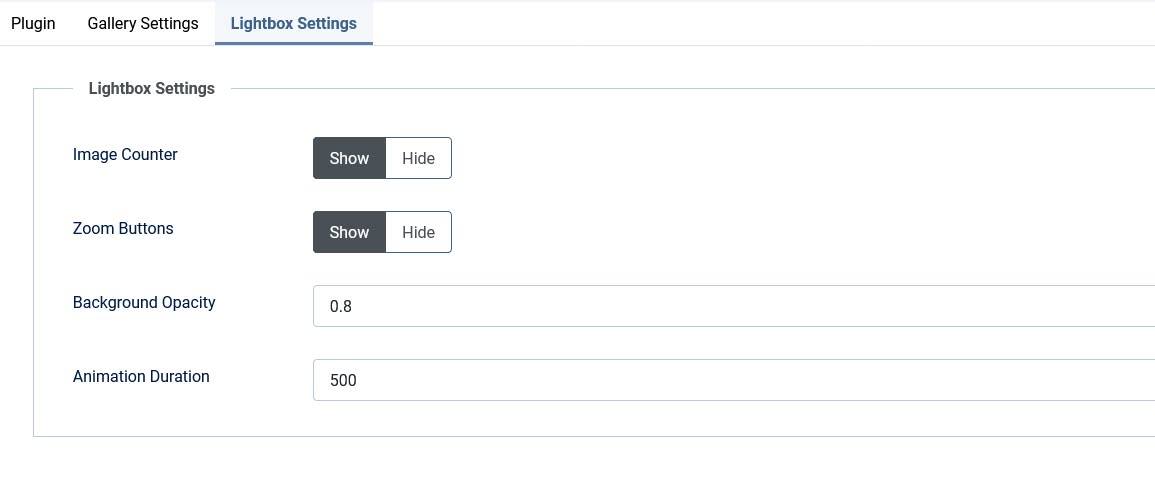
JO Property Gallery - A powerful, responsive property image gallery plugin for Joomla featuring FancyBox lightbox and intelligent masonry layouts. Perfect for real estate websites, vacation rentals, property listings, and any site needing beautiful image displays, this sophisticated content plugin transforms your property image folders into stunning, responsive galleries with simple shortcodes.
Simply organize your images into folders, use the intuitive shortcode {joproperty}property-folder{/joproperty}, and watch as the plugin automatically creates beautiful masonry grid layouts with full lightbox functionality. For advanced control, you can also use parameterized shortcodes like {joproperty gallery_title="1" thumb_count="4"}property-folder{/joproperty} to customize individual galleries.
Key Features:
★Smart Layout System
★★Intelligent Masonry Grid - Automatically arranges images in beautiful, dynamic layouts
★★Responsive Design - Perfect display on all devices (1-3 columns based on thumbnail count)
★★Multiple Layout Patterns - Smart arrangements for 1-7+ thumbnails with optimized spacing
★Flexible Parameters
★★Gallery Title Control - Show/hide gallery title per shortcode
★★Article Tags Display - Show/hide article tags per shortcode
★★Image Captions - Show/hide image captions per shortcode
★★Thumbnail Count - Set 1-5 thumbnails per shortcode
★Smart Article Tags Integration
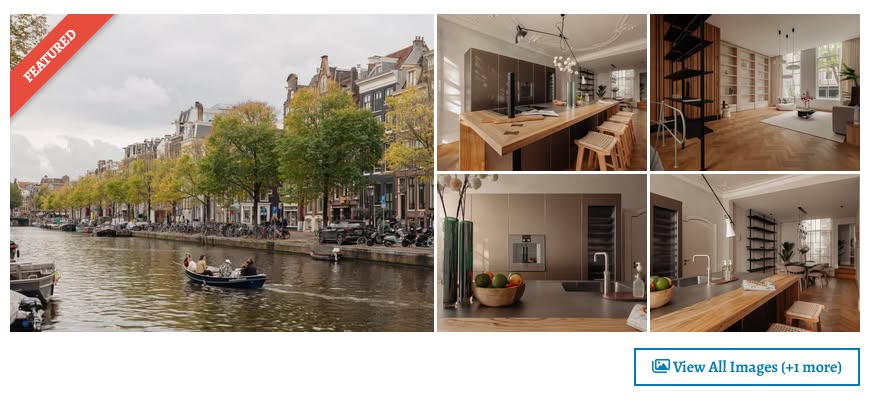
★★Single Tag Display - Shows as a stylish corner ribbon on the gallery
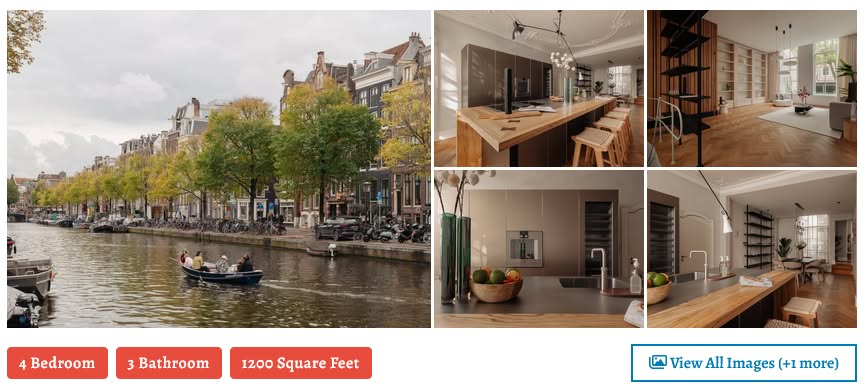
★★Multiple Tags Display - Displays as horizontal tags alongside the View All button
★★Customizable Tag Color - Choose any color for tags to match your theme
★★Clean Layout - Tags and View All button sit side by side in a balanced layout
★Performance Optimized
★★Lazy Loading - Images load as you scroll for faster page speeds
★★Smart Thumbnail Generation - Automatic creation of optimized thumbnails (400px - 1200px)
★★Quality Control - Choose from 60% to 95% JPEG quality for perfect balance of quality and performance
★Easy Configuration
★★Simple Shortcode - {joproperty}folder-name{/joproperty} - no complex parameters needed
★★Parameterized Shortcode - {joproperty gallery_title="1" thumb_count="4"}folder{/joproperty} - full control per gallery
★★Flexible Root Folder - Set your default images directory
★★Customizable Display - Show/hide titles, captions, and control border radius
★Professional Lightbox
★★Fancybox Integration - Industry-standard lightbox with smooth animations
★★Full-Screen Viewing - Zoom, swipe navigation, and image counter
★★Customizable Settings - Control background opacity, animation speed, and UI elements
★Smart Gallery Management
★★Thumbnail Count Control - Display 1-5 thumbnails with "View All" option for larger galleries
★★Multiple Sorting Options - Sort by filename (A-Z/Z-A), date (newest/oldest), or random
★★Dynamic Button Alignment - Left, center, or right alignment for View All button
★Mobile-First Design
★★Adaptive Columns - Intelligent column layout based on thumbnail count
★★Touch-Friendly - Perfect for mobile devices with smooth touch interactions
★★Optimized Performance - Fast loading even on slower mobile connections
Shortcode Examples:
Basic Usage:{joproperty}property-folder{/joproperty}
Hide Gallery Title & Show Only 2 Thumbnails:{joproperty gallery_title="0" thumb_count="2"}property-folder{/joproperty}
Hide Article Tags & Image Captions:{joproperty article_tags="0" image_captions="0"}property-folder{/joproperty}
Full Control - All Parameters:{joproperty gallery_title="1" article_tags="0" image_captions="1" thumb_count="4"}property-folder{/joproperty}
Custom Shortcode Name (User Defined):{myproperty gallery_title="1" thumb_count="3"}property-folder{/myproperty}
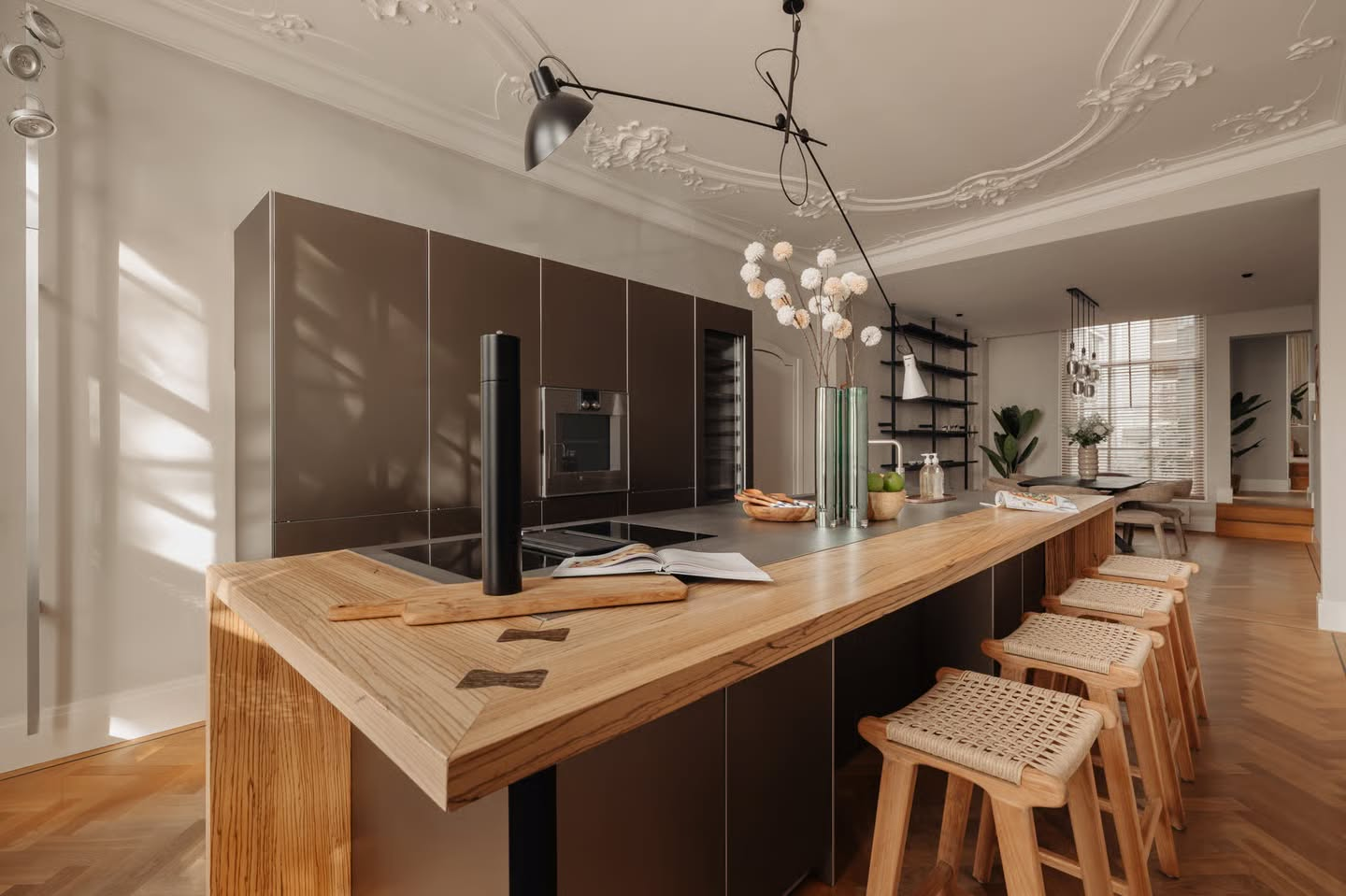
Frontend Demo:

Backend Screenshot: