JO Read More is a lightweight Joomla content plugin designed to automatically insert a Read More break into articles displayed in category blog layouts. Instead of manually adding a readmore tag to each article, the plugin applies it automatically based on your configuration, ensuring consistent content truncation across blog-style listings.
This plugin is ideal for blogs, news portals, and content-heavy websites that rely on category blog views and want a clean, uniform presentation of article excerpts. By automating the readmore behavior, JO Read More saves time, reduces manual effort, and helps maintain a structured and user-friendly layout.
Please note that this plugin operates only within category blog layouts and is not intended for adding a Read More button to individual, standalone articles.
Key Features:
Flexible Truncation Options:
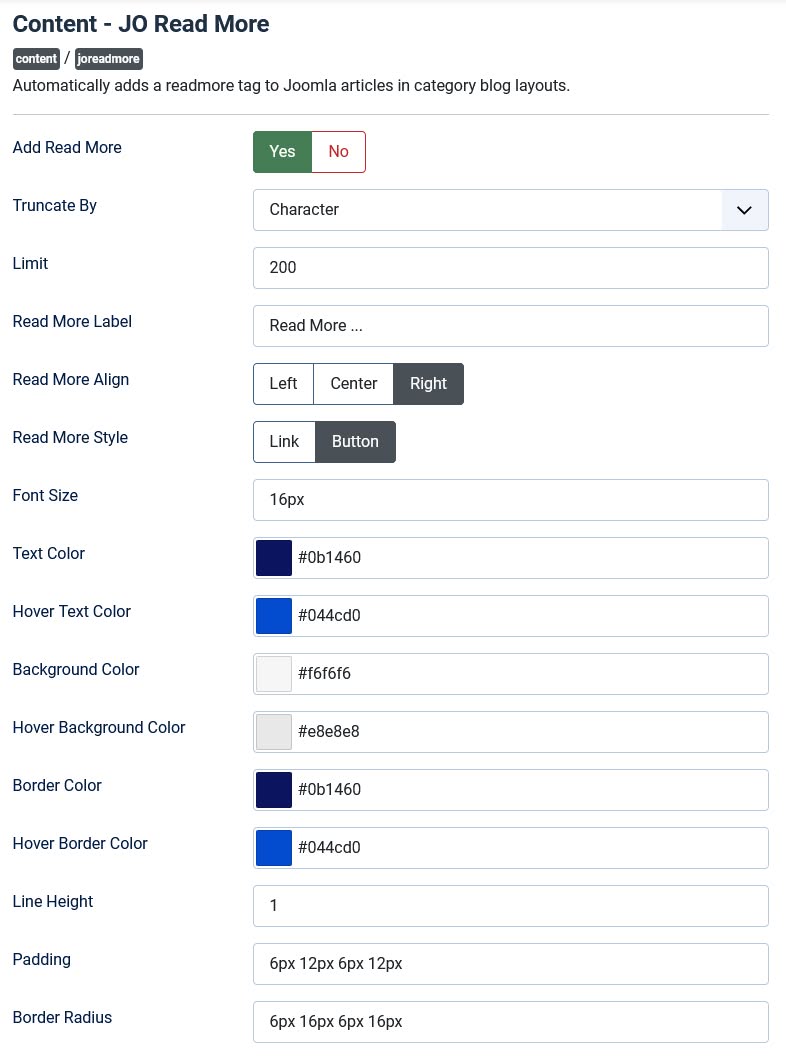
★ Truncate by Words or Characters: Choose whether to truncate content based on the number of words or characters.
★ Customizable Limit: Set the exact number of words or characters to display before truncating the content.
Customizable "Read More" Label:
★ Add a custom label (e.g., "Read More", "Learn More", "Click Here") to match your site's tone and branding.
Styling Options:
★ Font Size: Adjust the font size of the "Read More" text.
★ Text Color & Hover Text Color: Customize the text color and hover effects for both "Link" and "Button" styles.
★ Button-Specific Styles:
★★ Background Color
★★ Hover Background Color
★★ Border Color
★★ Hover Border Color
★★ Line Height
★★ Padding
★★ Border Radius
Alignment Control:
★ Align the "Read More" link or button to the Left , Center , or Right of the container.
Suppress Joomla's Default "Read More":
★ Automatically disables Joomla's default "Read More" functionality to avoid conflicts and ensure clean output.
Frontend Demo:
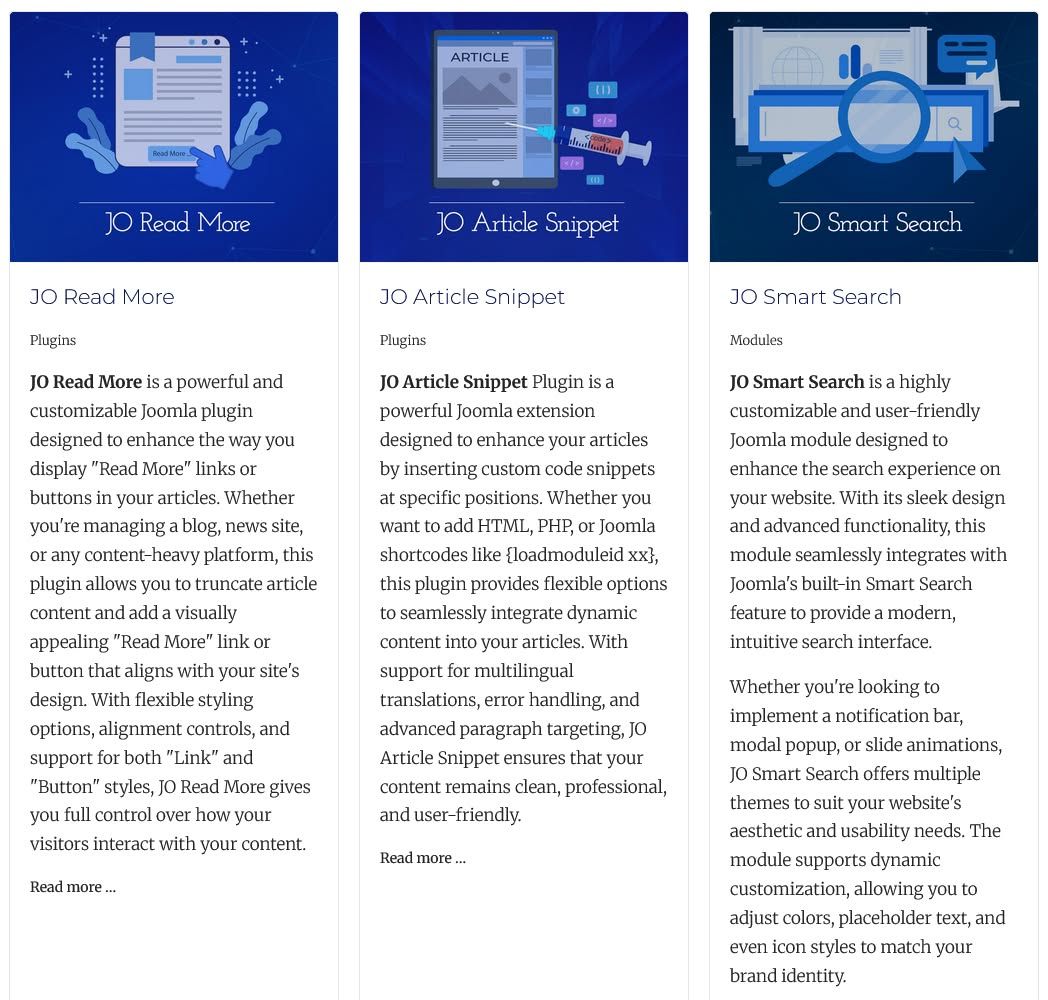
Frontend Screenshot(Joomla Default):
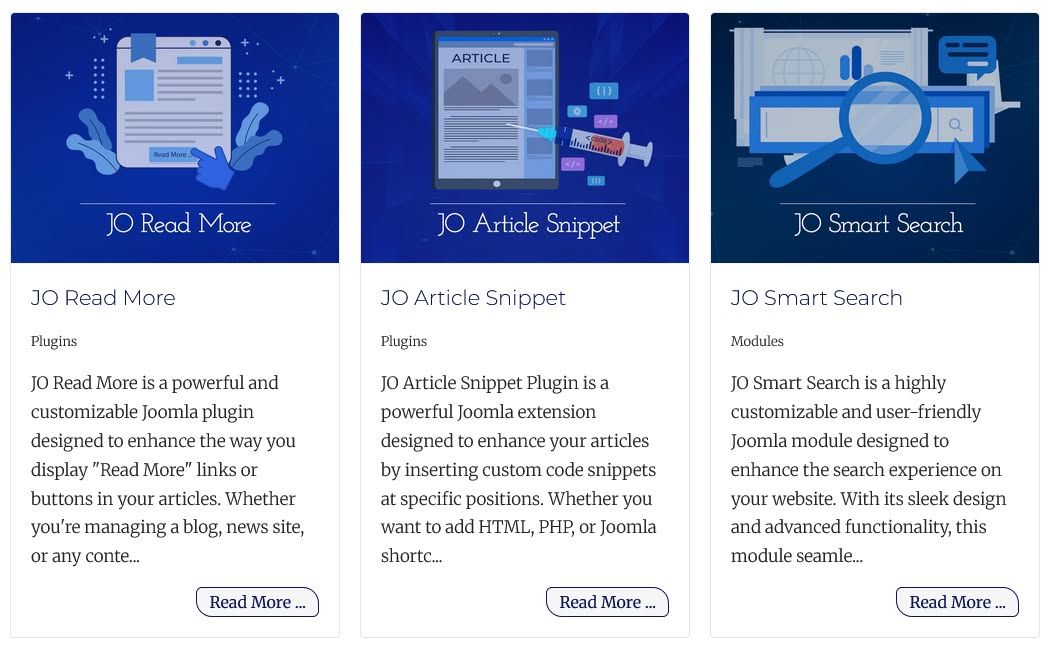
Frontend Screenshot(JO Read More):
Backend Screenshot: